3D Painting
Abstract
We have developed an intuitive interface for painting on
unparameterized three-dimensional polygon meshes using a 6D Polhemus
space tracker with a stylus sensor as an input device. Given a
physical object we first acquire its surface geometry using a
Cyberware range scanner. As we move the sensor over the surface of
the physical object we color the corresponding locations on the
scanned mesh. The physical object provides a natural force-feedback
guide for painting on the mesh, making it intuitive and easy to
accurately place color on the mesh. We recently presented a
paper
on this project at the
1995 Symposium on Interactive 3D Graphics.
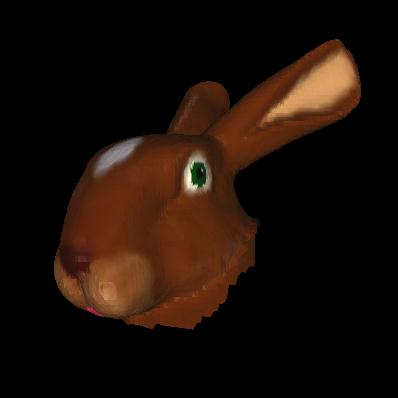
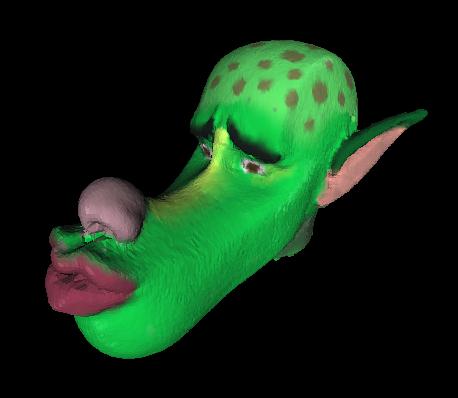
The following movies show models we painted with our 3D painting
system. The bunny movie is 67 KB and the wolf movie is 47 KB.
![[Bunny Movie]](paintedbunny3.gif)
![[Wolf Movie]](bumpywolf.gif) This page is divided into the following sections:
This page is divided into the following sections:
Implementation Details
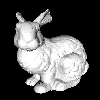 Before we can paint we must have both a physical and a mesh
representation of an object. To create a complete mesh representation
from a physical object we can take several Cyberware scans of the
physical object and zipper
them together.
The zippering algorithm is described in more detail
by Greg Turk and Marc Levoy,
in their '94 SIGGRAPH publication: Zippered Polygon Meshes from Range
Data.
Here we have a ceramic bunny as well as the mesh
representation of it.
Before we can paint we must have both a physical and a mesh
representation of an object. To create a complete mesh representation
from a physical object we can take several Cyberware scans of the
physical object and zipper
them together.
The zippering algorithm is described in more detail
by Greg Turk and Marc Levoy,
in their '94 SIGGRAPH publication: Zippered Polygon Meshes from Range
Data.
Here we have a ceramic bunny as well as the mesh
representation of it.
 To ensure that as we move the stylus over the surface of the physical
object, paint will be applied to the corresponding locations on the
mesh, we must register stylus movements to movements of a virtual
paintbrush over the mesh. We use the Iterated Closest Point (ICP)
algorithm developed by Paul Besl to find an affine, shear-free
transformation registering the tracker space to the mesh space. This
algorithm is typically used to register two point sets to one
another. We use the mesh vertices as a set of points in mesh space and
we collect a set of points in tracker space by sampling the position
of the stylus as we randomly scribble on the surface of the physical
object. After generating the tracker space points we roughly align
them to the mesh by hand, and then run the ICP algorithm to generate a
more exact registration. In this picture the purple crosses represent
tracker space points.
To ensure that as we move the stylus over the surface of the physical
object, paint will be applied to the corresponding locations on the
mesh, we must register stylus movements to movements of a virtual
paintbrush over the mesh. We use the Iterated Closest Point (ICP)
algorithm developed by Paul Besl to find an affine, shear-free
transformation registering the tracker space to the mesh space. This
algorithm is typically used to register two point sets to one
another. We use the mesh vertices as a set of points in mesh space and
we collect a set of points in tracker space by sampling the position
of the stylus as we randomly scribble on the surface of the physical
object. After generating the tracker space points we roughly align
them to the mesh by hand, and then run the ICP algorithm to generate a
more exact registration. In this picture the purple crosses represent
tracker space points.
 After registration we can start painting. Each mesh is stored as a
list of triangles and we apply color to a mesh by coloring triangle
vertices. This allows us to paint on unparameterized meshes, but in
order to avoid jagged paint strokes the triangles must be very small.
Typical meshes may contain hundreds of thousands of triangles. We
implemented a number of brush effects including overpainting, alpha
blending, texture mapping and displacement mapping. Overpainting
replaces the old mesh color with the new color. Alpha blending allows
the user to mix the old mesh color with a new color based a selectable
blending (alpha) value. We implemented both 2D and 3D texture
mapping. In this picture the checkerboard on the bunny's leg is a 3D
texture while the flower on the bunny's breast is a 2D texture.
The displacement mapping effect allows us to change the geometry of
the mesh, by actually changing the position of mesh vertices. The
bumps on the wolf head at the top of this page were created using a
dispalcement brush.
After registration we can start painting. Each mesh is stored as a
list of triangles and we apply color to a mesh by coloring triangle
vertices. This allows us to paint on unparameterized meshes, but in
order to avoid jagged paint strokes the triangles must be very small.
Typical meshes may contain hundreds of thousands of triangles. We
implemented a number of brush effects including overpainting, alpha
blending, texture mapping and displacement mapping. Overpainting
replaces the old mesh color with the new color. Alpha blending allows
the user to mix the old mesh color with a new color based a selectable
blending (alpha) value. We implemented both 2D and 3D texture
mapping. In this picture the checkerboard on the bunny's leg is a 3D
texture while the flower on the bunny's breast is a 2D texture.
The displacement mapping effect allows us to change the geometry of
the mesh, by actually changing the position of mesh vertices. The
bumps on the wolf head at the top of this page were created using a
dispalcement brush.
Results
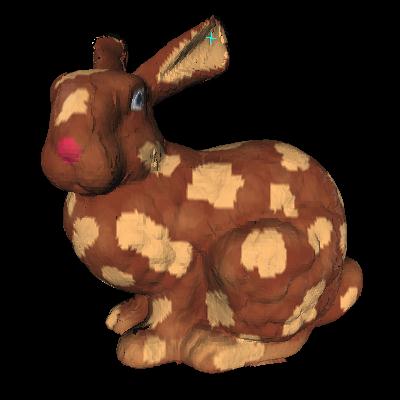
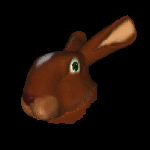
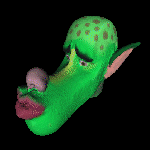
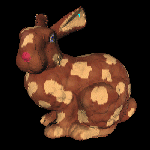
Here are some more examples of the types of paintings we were able to
create using our 3D painting system. Each of these examples took a
couple of hours to paint.
Maneesh Agrawala
<maneesh@cs.stanford.edu>
Andrew C. Beers
<beers@cs.stanford.edu>
Marc Levoy
<levoy@cs.stanford.edu>
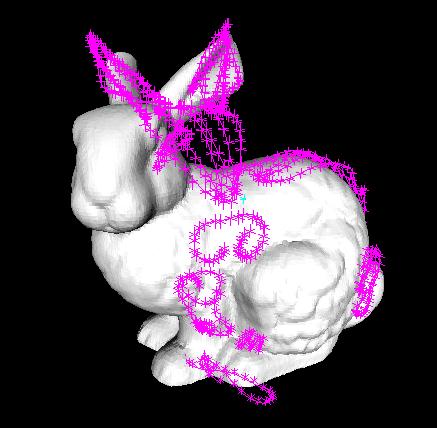 To ensure that as we move the stylus over the surface of the physical
object, paint will be applied to the corresponding locations on the
mesh, we must register stylus movements to movements of a virtual
paintbrush over the mesh. We use the Iterated Closest Point (ICP)
algorithm developed by Paul Besl to find an affine, shear-free
transformation registering the tracker space to the mesh space. This
algorithm is typically used to register two point sets to one
another. We use the mesh vertices as a set of points in mesh space and
we collect a set of points in tracker space by sampling the position
of the stylus as we randomly scribble on the surface of the physical
object. After generating the tracker space points we roughly align
them to the mesh by hand, and then run the ICP algorithm to generate a
more exact registration. In this picture the purple crosses represent
tracker space points.
To ensure that as we move the stylus over the surface of the physical
object, paint will be applied to the corresponding locations on the
mesh, we must register stylus movements to movements of a virtual
paintbrush over the mesh. We use the Iterated Closest Point (ICP)
algorithm developed by Paul Besl to find an affine, shear-free
transformation registering the tracker space to the mesh space. This
algorithm is typically used to register two point sets to one
another. We use the mesh vertices as a set of points in mesh space and
we collect a set of points in tracker space by sampling the position
of the stylus as we randomly scribble on the surface of the physical
object. After generating the tracker space points we roughly align
them to the mesh by hand, and then run the ICP algorithm to generate a
more exact registration. In this picture the purple crosses represent
tracker space points.
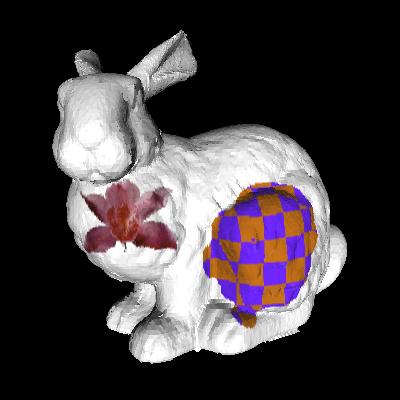 After registration we can start painting. Each mesh is stored as a
list of triangles and we apply color to a mesh by coloring triangle
vertices. This allows us to paint on unparameterized meshes, but in
order to avoid jagged paint strokes the triangles must be very small.
Typical meshes may contain hundreds of thousands of triangles. We
implemented a number of brush effects including overpainting, alpha
blending, texture mapping and displacement mapping. Overpainting
replaces the old mesh color with the new color. Alpha blending allows
the user to mix the old mesh color with a new color based a selectable
blending (alpha) value. We implemented both 2D and 3D texture
mapping. In this picture the checkerboard on the bunny's leg is a 3D
texture while the flower on the bunny's breast is a 2D texture.
The displacement mapping effect allows us to change the geometry of
the mesh, by actually changing the position of mesh vertices. The
bumps on the wolf head at the top of this page were created using a
dispalcement brush.
After registration we can start painting. Each mesh is stored as a
list of triangles and we apply color to a mesh by coloring triangle
vertices. This allows us to paint on unparameterized meshes, but in
order to avoid jagged paint strokes the triangles must be very small.
Typical meshes may contain hundreds of thousands of triangles. We
implemented a number of brush effects including overpainting, alpha
blending, texture mapping and displacement mapping. Overpainting
replaces the old mesh color with the new color. Alpha blending allows
the user to mix the old mesh color with a new color based a selectable
blending (alpha) value. We implemented both 2D and 3D texture
mapping. In this picture the checkerboard on the bunny's leg is a 3D
texture while the flower on the bunny's breast is a 2D texture.
The displacement mapping effect allows us to change the geometry of
the mesh, by actually changing the position of mesh vertices. The
bumps on the wolf head at the top of this page were created using a
dispalcement brush.